
Infrared Remote for Roku1.5 - Google Play
You'll be able to see results in few seconds.
Publisher Description
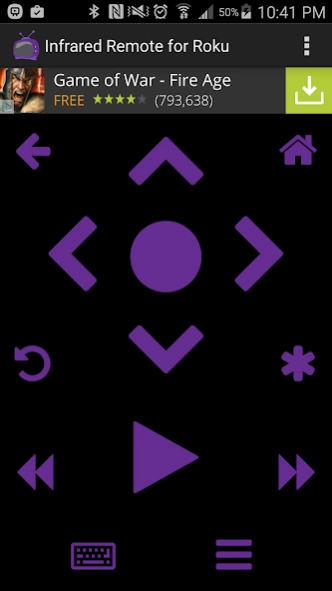
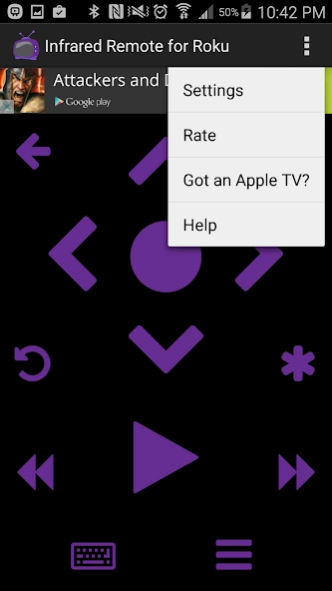
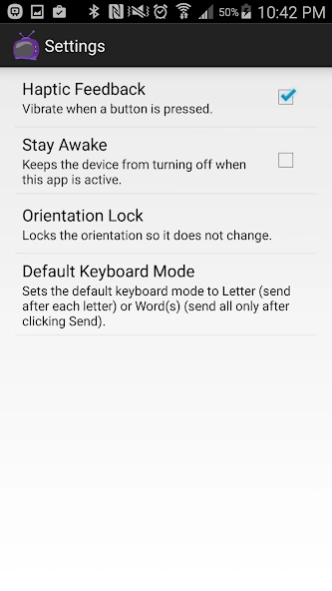
Use your Infrared-enabled Android device as a remote for the Roku!
ONLY DEVICES WITH AN INFRARED TRANSMITTER WILL WORK!
Please read this in its entirety before commenting! If you have any troubles, please email me first before leaving a negative review and I'll do my best to address your issue.
Features:
- Control your Roku via infrared (IR)
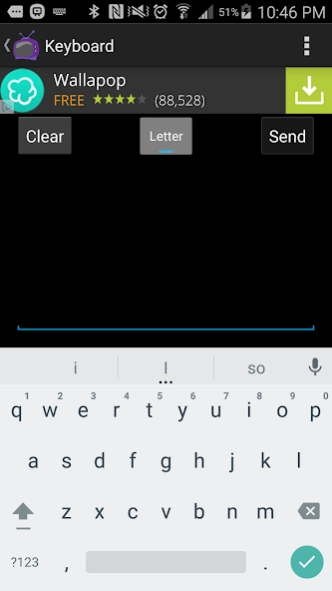
- Keyboard support that lets you type on your device and it sends the infrared codes either after every letter or all at once
- Channel shortcuts for Netflix, Amazon, Pandora, VUDU, Crackle, MGO and Blockbuster
How to use the keyboard:
- First open the on-screen keyboard on the Roku
- Then click the A button on the app to show the keyboard on your Android device
- Keep the device aimed at the Roku and start typing
- If you want to send codes all at once (for example when entering an email address), hit the toggle button labeled Letter to change it to Word(s) after which you'll need to click Send to send the codes at once (make sure your device is pointed at the Roku throughout the entire send)
Supported Rokus:
- All Rokus are supported EXCEPT the Roku Streaming Stick
List of devices with infrared:
- https://en.wikipedia.org/wiki/List_of_devices_with_IR_blaster
Samsung devices with infrared will work regardless of the Android version
Non-Samsung devices (such as HTC and LG) with infrared will only work on Android 4.4 KitKat or newer
Permissions:
- Accounts
----- To allow me to gift ad-free versions
- InApp Purchase
----- To allow you to upgrade to not show ads
- Internet/Network State
----- To support ads
- Infrared
----- To use the infrared transmitter of your device
- Vibrate
----- To allow for haptic response
If your device is not listed here and it works, please email me so I can update the list.
If your device is listed and is not working, let me know and I'll look into it.
About Infrared Remote for Roku
The company that develops Infrared Remote for Roku is Peter Mossaad. The latest version released by its developer is 1.5.
To install Infrared Remote for Roku on your Android device, just click the green Continue To App button above to start the installation process. The app is listed on our website since 2017-02-24 and was downloaded 0 times. We have already checked if the download link is safe, however for your own protection we recommend that you scan the downloaded app with your antivirus. Your antivirus may detect the Infrared Remote for Roku as malware as malware if the download link to com.reinieday.infraredremoteforroku is broken.
How to install Infrared Remote for Roku on your Android device:
- Click on the Continue To App button on our website. This will redirect you to Google Play.
- Once the Infrared Remote for Roku is shown in the Google Play listing of your Android device, you can start its download and installation. Tap on the Install button located below the search bar and to the right of the app icon.
- A pop-up window with the permissions required by Infrared Remote for Roku will be shown. Click on Accept to continue the process.
- Infrared Remote for Roku will be downloaded onto your device, displaying a progress. Once the download completes, the installation will start and you'll get a notification after the installation is finished.
Program Details
System requirements
Download information
Pricing
Version History
version 1.5
posted on 2017-02-24
App will no longer ask for a rating.
version 1.3
posted on 2015-09-22
version 1.3
posted on 2015-09-22
Added some new channel shortcuts. Fixed an issue where some users who paid to remove ads occasionally saw them again (connection to Google Play would sometimes fail).
Disclaimer
Official Google Play Link
We do not host Infrared Remote for Roku on our servers. We did not scan it for viruses, adware, spyware or other type of malware. This app is hosted by Google and passed their terms and conditions to be listed there. We recommend caution when installing it.
The Google Play link for Infrared Remote for Roku is provided to you by apps112.com without any warranties, representations or guarantees of any kind, so access it at your own risk.
If you have questions regarding this particular app contact the publisher directly. For questions about the functionalities of apps112.com contact us.
